
If you are reading this article, you are already interacting with one. From the smartphone in your pocket to the complex servers managing global financial markets, digital frameworks govern the modern world. But when we strip away the screen interfaces and sleek designs, a fundamental question remains: exactly what is computerized system, and how does it function so seamlessly?
In this comprehensive guide, we will break down the foundational concepts of modern computing. Whether you are a business owner looking to scale your operations, an IT novice, or simply a curious mind, understanding these digital ecosystems is crucial for navigating today’s tech-driven landscape.
Defining the Core Concept
To put it simply, if you are asking “what is computerised system?” (or its American spelling, what is computerized system?), you are inquiring about a coordinated group of hardware, software, data, and human elements designed to collect, process, store, and distribute information.
This modern marvel did not happen overnight. The evolution from mechanical to electronic computing is a fascinating journey. It began centuries ago with mechanical calculators and Charles Babbage’s analytical engine, eventually giving way to vacuum tubes, transistors, and the hyper-fast silicon microchips we rely on today. This transition has exponentially increased our capacity to solve complex problems and automate daily tasks.
The Building Blocks of Computing
To truly grasp how these setups work, we must look at the essential components of a computer system. Every functioning system relies on a delicate balance of multiple moving parts:
1. Hardware and Software Integration
At its core, a computer requires physical machinery (hardware) to execute instructions provided by digital programs (software). Effective hardware and software integration ensures that the operating system can communicate flawlessly with the motherboard, processors, and memory drives, translating user clicks into actionable results.
2. The Input, Output, and Processing Cycle
Every computing task follows a strict chronological order known as the input output and processing cycle.
- Input: Data is entered into the system via keyboards, sensors, or network connections.
- Processing: The Central Processing Unit (CPU) interprets and manipulates this data.
- Output: The result is displayed on a screen, printed out, or sent to another device.
3. Data Processing and Storage
Understanding how data processing works in computers requires looking at the CPU and memory. The processor uses algorithms to perform logical and mathematical operations on raw data, turning it into meaningful information.
But how do computer systems store data once it is processed? They use a combination of volatile memory (like RAM, which holds data temporarily while the computer is running) and non-volatile storage (like SSDs, Hard Drives, and Cloud servers, which retain information permanently). Data is broken down into binary code (ones and zeros) and magnetically or electrically encoded onto these storage mediums.
Manual vs. Digital: The Business Impact
Historically, businesses relied on ledgers, filing cabinets, and manual calculations. Today, analyzing computerized vs manual information systems reveals a stark contrast. Manual systems are inherently prone to human error, slow to update, and highly vulnerable to physical damage.
Conversely, the advantages of automating business processes through digital means are staggering. Automation reduces repetitive tasks, lowers operational costs, and minimizes manual data entry errors. Ultimately, improving operational efficiency through digitization allows teams to focus on high-level strategy and customer relationships rather than being bogged down by paperwork.
Key Benefits of Transitioning to Digital Systems:
- Speed: Instant access to global databases.
- Accuracy: Mathematical and logical operations are performed flawlessly.
- Scalability: Systems can easily grow to accommodate more data and users.
- Collaboration: Multiple users can access and edit files simultaneously from anywhere in the world.
System Architecture and Usability
Not all computing setups look like a desktop PC. Depending on their purpose, they vary wildly in design.
Network Architecture
Most modern setups do not operate in isolation. A networked computer system architecture links multiple devices together via Local Area Networks (LANs) or Wide Area Networks (WANs). This architecture allows hardware resources (like printers or servers) and software data to be shared across the globe instantly.
Embedded Systems
Sometimes, computing technology is hidden within other machines. Common examples of embedded computer systems include the anti-lock braking system (ABS) in your car, smart thermostats in your home, and life-saving medical devices like pacemakers. These systems are highly specialized to perform one specific, reliable task.
The Human Element
A powerful system is useless if people cannot figure out how to use it. This is where human computer interaction principles come into play. UI/UX designers focus on creating intuitive dashboards, clear visual hierarchies, and accessible commands so that human users can interact with complex data processing naturally and efficiently.
Security, Compliance, and System Validation
With great power comes great responsibility. As organizations shift their most sensitive data online, securing digital information infrastructure becomes a top priority. Firewalls, encryption, and multi-factor authentication are critical to keeping unauthorized users out.
However, in highly regulated industries like pharmaceuticals, healthcare, and finance, standard security is not enough. Systems must be proven to work exactly as intended. This brings us to the concept of computer systems validation (CSV).
What is CSV?
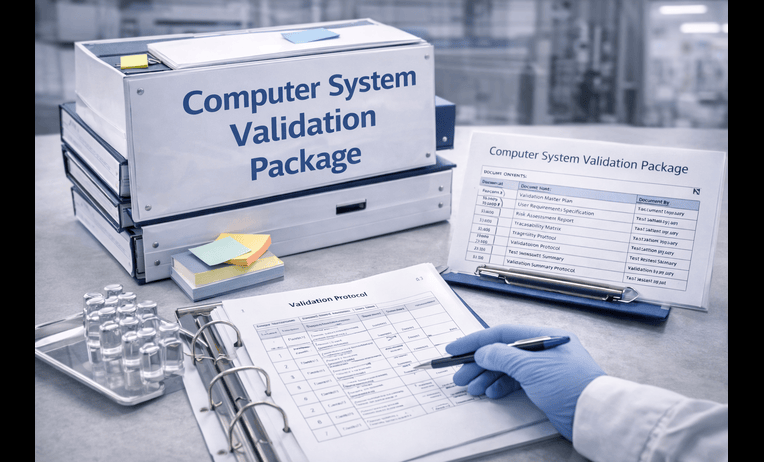
For those unfamiliar with the term, the csv full form is Computer System Validation. Simply put, computer validation is the documented process of assuring that a system does exactly what it is designed to do consistently and securely.
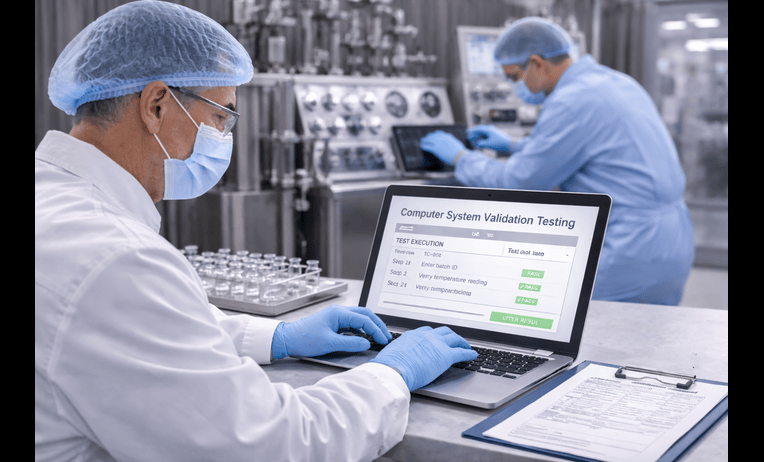
A standard csv validation process ensures regulatory compliance (such as FDA 21 CFR Part 11 for life sciences). It involves rigorous testing stages to verify that software and hardware interact properly without compromising data integrity.
The Validation Life Cycle
The computer system validation life cycle typically follows a structured framework:
- Planning: Defining the scope and strategy of the validation.
- Requirements Gathering: Detailing what the system must do.
- Testing (IQ/OQ/PQ): Installation Qualification (is it installed right?), Operational Qualification (does it work right?), and Performance Qualification (does it perform reliably under load?).
- Reporting: Documenting all results to prove compliance.
The Importance of Audit Trails
A crucial element of maintaining compliant digital records is traceability. To ensure accountability, the audit trails of computer systems include specific, immutable data points: the identity of the user who created or altered a record, the exact time and date of the action, the original value, the new value, and the reason for the change. This guarantees that data cannot be secretly manipulated.
The Future: Technology in the Modern Workplace
Today, the role of technology in modern organizations cannot be overstated. It is no longer just a support function; it is the backbone of business strategy. From artificial intelligence predicting consumer trends to cloud infrastructure allowing remote work on a massive scale, computerized networks dictate how modern commerce, healthcare, and communication operate.
Companies that continually invest in understanding and upgrading their digital infrastructure not only protect themselves from security breaches but also gain a distinct competitive edge in the marketplace.
Conclusion
Understanding “what is a computerized system” goes far beyond knowing how to turn on a laptop. It requires an appreciation of how hardware and software integrate, how data flows through the input/output cycle, and how automated networks drive efficiency across the globe.
Whether you are streamlining your business operations, looking to implement robust computer systems validation protocols, or just aiming to understand the technology that shapes our daily lives, mastering these basics is your first step into the future of digital innovation. By embracing and securing these technological tools, we empower ourselves to work smarter, faster, and more securely than ever before.