
Think about the last time you withdrew cash from an ATM. You did not just push buttons on an isolated metal box; you interacted with a massive, invisible network that verified your identity and updated your balance instantly. Industry data reveals that millions of these seamless transactions happen daily, yet we rarely stop to consider how they actually work.
Many people view modern technology as a mysterious black box where tasks happen by magic. When someone asks, “what is computerised system technology?” the best way to explain it is as a highly coordinated team. It takes physical parts you can touch and gives them invisible digital rules to process information safely.
However, a standalone machine sitting on a desk is just an expensive tool until it has a user. The true system boundary includes the people typing the commands and the specific procedures they follow. This digital-human integration is what transforms a basic screen into a powerful network.
Ensuring that this entire team people, machines, and instructions operates exactly as intended is the core of computerized system validation. Once you grasp exactly what is computerized system design, it becomes much easier to understand the technology running your daily life.
Why Your Tech Is a ‘Body’ with an ‘Instruction Manual’: Decoding Hardware, Software, and Data
Look at the smartphone sitting next to you. If someone asked you, “what is computerised system,” you might point to that glass screen, but the physical device is only a fraction of the magic. You already know that everyday systems are made of interconnected parts, yet the true power of your gadgets comes from how visible pieces and invisible instructions work together as a single team.
To make sense of this, we can break down the essential components of an information system into the “Big Three” parts:
- Hardware (The Body): The physical pieces you can touch or drop, like a screen or battery.
- Software (The Rules): The invisible instruction manual that tells the hardware exactly what to do.
- Data (The Information): The details you actually care about, like your bank balance or family photos.
Without all three elements, your expensive phone is just a glowing paperweight. The essential role of hardware and software in automation is to process your data instantly, turning a simple tap on glass into a sent text message. Data acts as the fuel that makes the whole machine valuable.
These physical and invisible pieces interact seamlessly, functioning much like a well-coordinated restaurant kitchen taking customer orders.
From Kitchen to Keyboard: Using the Restaurant Analogy to Master the Input-Process-Output Model
When ordering a meal at a restaurant, you provide a request, wait comfortably at your table, and soon receive a finished plate of food. This familiar everyday transaction perfectly mirrors how your smart devices work behind the scenes.
Getting the input process output model explained through this dining experience makes invisible technology much easier to grasp. Your initial food order acts as the “Input,” giving the machine its raw materials. The chef represents the “Process,” applying strict logic and rules to transform those raw ingredients. Finally, the finished dinner delivered to you is the “Output.”
Common examples of computerised systems in business, like a grocery store scanner or an ATM, follow these exact three steps in seconds. This cycle clearly demonstrates how do computerised systems improve efficiency by accelerating the “cooking” phase to save human workers countless hours. It also explains why digital failures happen, because handing a chef the wrong recipe inevitably guarantees a bad meal.
Predicting how a machine will react is simple once you recognize this natural rhythm. Every digital tool relies on this exact flow to function properly. To ensure these raw data ingredients travel safely between digital kitchens without breaking, systems use strict formatting and validation rules.
Why ‘CSV’ Is the Building Code for Safe Software
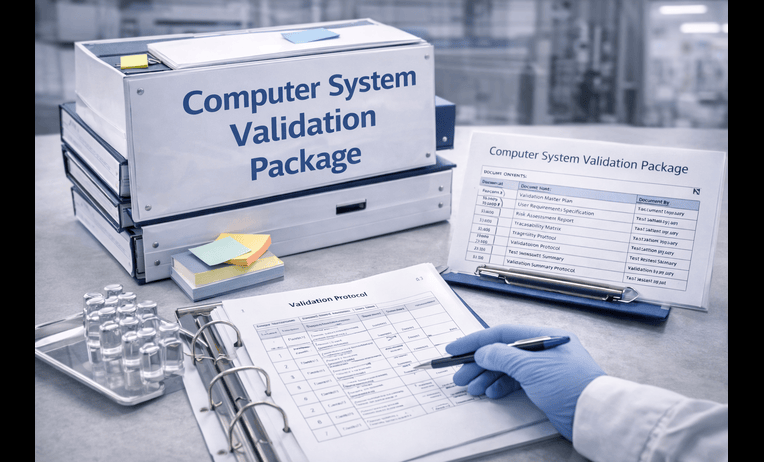
Tapping a phone to transfer money or receiving a critical lab result requires absolute trust. We rely on these everyday actions, but that safety doesn’t happen by accident. Developers use a strict testing process called computerized system validation to prevent dangerous mistakes.
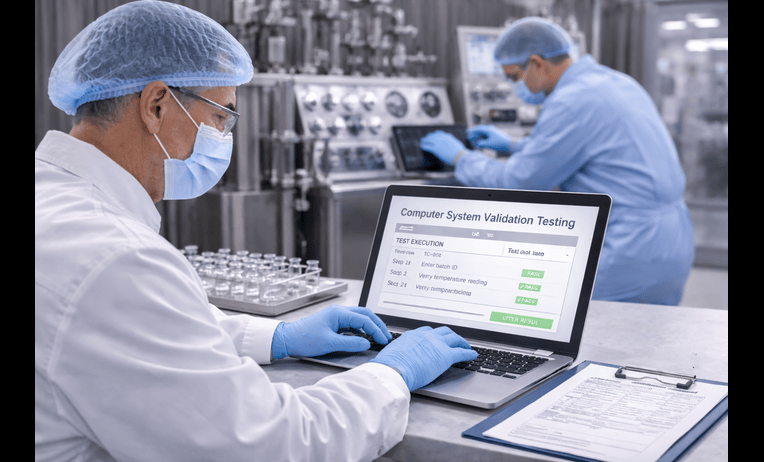
While simply “checking” software means turning it on to see if it starts, validating it goes much deeper. The csv full form stands for Computerized System Validation, which acts like a building code for digital tools. It proves a system works safely and consistently under pressure.
To pass computer system validation, software must meet The 3 Core Pillars of Validation:
- Accuracy (Is it right?)
- Reliability (Does it stay right?)
- Intended Use (Does it do what we need?)
Strict computer validation is legally required in regulated industries like healthcare and finance. If a pharmacy system glitches, it could severely impact your health. These rigorous rules force creators to test every possible scenario before the software reaches the public, guaranteeing your sensitive data is handled securely.
Proving a system works perfectly on day one is only the beginning. Because digital tools update constantly and are used by numerous people, maintaining a precise history of changes through audit trails is mandatory.
Digital Paper Trails: How Audit Trails Protect Your Information from ‘Invisible’ Changes
In shared documents, accidentally deleting a sentence might go unnoticed. However, in highly secure databases like banking or healthcare, every single keystroke leaves a permanent mark. This constant tracking creates an audit trail, essentially a high-tech security receipt that records exactly how, when, and by whom information was changed.
The specific details captured by the audit trails of computer systems include the user’s identity, the exact time of the action, the original value, and the new value. To prove a real person authorized the change, these logs often require an electronic signature, acting just like a unique digital fingerprint. Because this software acts as a silent, unblinking witness, unauthorized users cannot secretly alter important files.
Unlike old-school paper files that someone could easily rewrite or shred, these modern logs are strictly “read-only,” meaning nobody can delete the history of what happened. The digital transformation of record keeping has made it nearly impossible to forge documents because these invisible timelines lock down the truth. This unbreakable history is the secret to maintaining data integrity in electronic systems, ensuring the information you rely on remains accurate.
Knowing your sensitive information is guarded by these unchangeable logs brings incredible peace of mind. As organizations shift away from easily lost paper folders, the sheer speed and reliability of these automated records become a critical advantage.
Manual vs. Computerized: Why Automated Systems Are Scaling Your World
Running a busy bakery and calculating daily taxes with just a pencil and paper highlights the exhausting reality of manual vs computerised data processing, where human fatigue inevitably leads to costly mistakes.
To understand why workplaces quickly abandon paper records, we can look at The ‘Speed Gap’ Comparison:
- Manual: High error, low speed (limited entirely by human energy and focus).
- Computerized: Low error, high speed, high scalability (capable of handling millions of tasks instantly).
That ability to handle sudden growth without breaking a sweat is a concept called scalability. If a business doubles its sales overnight, a human team will struggle to keep up, but software adapts effortlessly. When people ask how do computerised systems improve efficiency so dramatically, the answer lies in this automated logic that completely removes human error from the equation.
Ultimately, the seamless scalability of modern digital systems is exactly why automated technology now manages our most critical work, from massive corporate networks to the appliances in our own kitchens.
The ‘Hidden’ Computers: Identifying Embedded Systems in Your Everyday Life
The microwave in your kitchen and the digital dashboard in your car represent a massive evolution from mechanical to electronic computing. We rarely call these everyday machines “computers,” yet they process information constantly without a keyboard or a mouse.
This invisible technology introduces a key difference: embedded systems vs general purpose computers. Your laptop is a general-purpose machine, equally capable of browsing the web, playing games, or writing documents. An embedded system, however, is a specialized brain built inside a device to do exactly one job.
Because they only focus on a single task, these hidden computers are incredibly reliable. The role of hardware and software in automation here is tightly locked together; the physical temperature sensor (hardware) and its heating instructions (software) work perfectly so your dinner doesn’t burn.
Recognizing this silent technology is the first step in understanding how modern organizations safely upgrade their daily operations and reduce errors.
Transitioning to Tech: A 4-Step Plan for Moving from Paper to a Validated Workflow
Moving a workplace from paper files to a digital network is a major shift called digital transformation. The biggest mistake organizations make is buying shiny new software without considering the people who must actually use it. A clear roadmap prevents team frustration and ensures safe implementation.
To successfully navigate this change, follow The 4-Step Transition Checklist:
- Mapping the Goal
- Choosing the Tech
- Testing/Validation
- User Training
Even the fastest software fails if human-computer interaction basics, how easily a person navigates the screen are ignored. Furthermore, ditching paper introduces new security risks in networked computer systems, making secure logins and proper validation protocols essential to protect your data.
Living with Computerized Systems
You no longer have to look at everyday devices as mysterious black boxes. Understanding what is computerised system comes down to spotting the seamless teamwork between physical hardware, invisible software, and vital data. Because of rigorous testing and validation behind the scenes, you can actually trust these digital teams to handle your daily tasks safely.
Recognizing these invisible connections clarifies the immense benefits of automated systems at work and home. By understanding the physical sensors, programmed rules, and data flowing through everyday devices, navigating our highly digital world becomes a clear and intuitive process.