In today’s increasingly complex digital landscape, transparency and accountability are no longer just IT buzzwords; they are absolute mandates. Imagine a scenario where a critical piece of pharmaceutical research data is altered, but nobody knows who did it, when it happened, or why. In heavily regulated industries, this kind of ambiguity can lead to massive fines, compromised patient safety, and catastrophic reputational damage.
This is where the power of digital tracking and rigorous audit trails comes into play. By implementing robust tracking mechanisms, organizations can ensure that every action is recorded, verifiable, and secure.
This article explains how audit trails differ from system logs and outlines what compliant audit trails must capture, the who, what, when, and why across the data lifecycle with precise, immutable timestamps for integrity and non-repudiation. It places audit trails within validation frameworks (CSV and the FDA’s risk-based CSA) for regulations like 21 CFR Part 11. Core practices include automated, user-independent logging; tamper-evident storage (e.g., WORM); and layered monitoring at database and application levels, coupled with continuous analysis to detect unauthorized activity. Effective audit trails enable breach detection, protect data integrity, and support compliance across regulated and research environments.
Understanding the Digital Foundation
Before diving into the specifics of tracking and logging, it helps to start at the foundation. A common question among those new to regulatory frameworks is: what is computerized system (or, depending on your region’s spelling, what is computerised system)?
Simply put, it encompasses the hardware, software, network components, and the operating procedures and personnel that interact with them to perform a specific function. Because these systems handle sensitive data, they must be rigorously tested and monitored. This groundwork underpins FDA software validation and computerized system validation initiatives.
This brings us to a critical distinction: system logs vs audit trails. While both record activities, they serve different purposes. A system log generally captures background machine and operating system events (like crashes or network errors). In contrast, an audit trail is heavily focused on user activities and data lifecycle events.
So, what exactly do audit trails of computer systems include ? Fundamentally, audit trails of computer systems include the “who, what, when, and why” of every interaction with a record. They provide a step-by-step history that traces a piece of data from its creation to its deletion.
The Intersection of Audit Trails and Validation
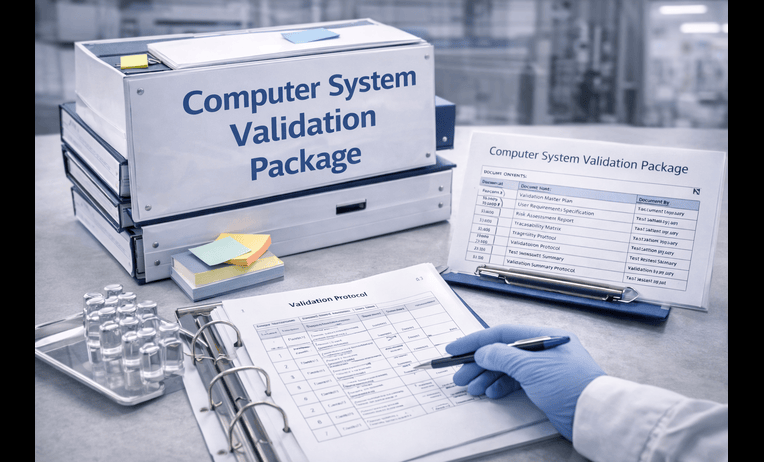
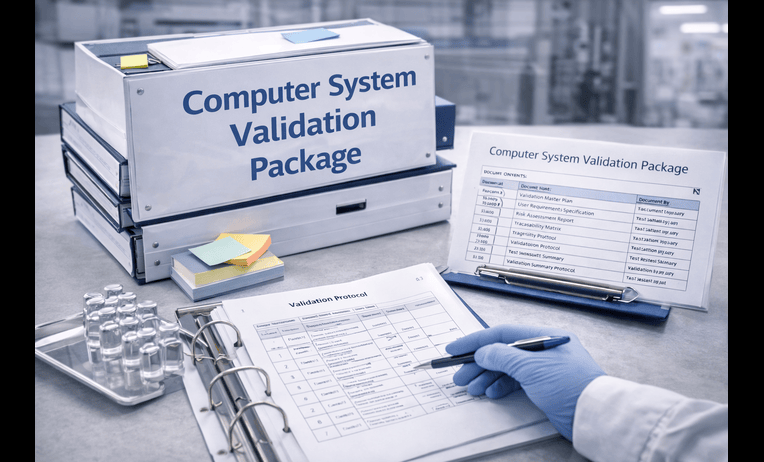
To guarantee that these systems work exactly as intended, companies must engage in system validation . If you’ve ever wondered about the csv full form , it stands for Computer System Validation (CSV).
Computerized system validation is the documented process of assuring that a system does exactly what it is designed to do consistently and accurately. Whether you refer to it as computer systems validation , computer validation , or simply csv validation, the goal remains the same: proving reliability.
In industries like healthcare and life sciences, FDA software validation is a strict requirement. Companies rely on specialized pharma validation software to streamline these complex testing processes, ensuring their systems are compliant with regulations like 21 CFR Part 11.
Navigating the Shift: CSV vs CSA
Historically, the validation process has been highly documentation-heavy. However, the regulatory landscape is evolving. To understand csv vs csa , we must look at the FDA’s pivot toward FDA computer software assurance (CSA).
The FDA’s new software validation requirements emphasize critical thinking and risk-based testing over exhaustive, rigid documentation. CSA encourages organizations to focus their testing efforts on areas that directly impact patient safety, product quality, and system integrity, rather than treating every minor software update as a massive validation hurdle.
The Anatomy of Reliable System Logs
To meet these modern compliance standards, organizations must understand the essential components of a secure system log. Without these elements, a log is virtually useless during an investigation.
What Specific Events Should be Captured in an Audit Trail?
When setting up your systems, you might ask: what specific events should be captured in an audit trail? While the exact requirements vary by industry, best practices dictate that your logs should always capture:
- Creation, Modification, and Deletion: Any time a record is born, changed, or destroyed.
- User Identification and Authentication Tracking: Recording exactly who logged in, when they logged in, and their permission levels.
- The Digital Footprint of Administrative Actions: Changes to system settings, password resets, and user role modifications.
The Power of Time and Integrity
One of the most critical elements of a log is the time it occurred. The importance of timestamps in digital forensics cannot be overstated. A precise, unalterable timestamp allows investigators to reconstruct events in the exact order they happened, which is essential for maintaining data integrity through chronological records.
Furthermore, robust logs enforce non-repudiation in information security. Non-repudiation guarantees that a user cannot deny having performed a specific action, because the system securely and undeniably links their identity to the event.
Proactive Security: Identifying and Mitigating Risks
Logs are not just for historical record-keeping; they are active tools for protecting your infrastructure. By constantly monitoring your systems, you can excel at identifying security breaches through log analysis.
Catching Intruders
A well-configured audit trail is your first line of defense in tracking unauthorized access attempts. If an employee tries to access a restricted database they aren’t authorized to view, the system should instantly log the denial. Repeated failed login attempts or access requests from unusual geographic locations are massive red flags that your security team can spot through diligent log review.
Protecting the Watchmen
An audit trail is only valuable if it is secure. Malicious actors—or even employees trying to cover up a mistake—will often attempt to delete the logs of their actions. Protecting audit logs from unauthorized deletion is a fundamental compliance requirement. Logs must be written to secure, write-once-read-many (WORM) storage, and even top-tier system administrators should not have the ability to alter or erase audit records.
Best Practices for Implementation and Compliance
Setting up a compliant and secure environment requires a strategic approach. Meeting the baseline for regulatory compliance for data logging means moving away from manual tracking and embracing automation.
Automating the Process
Manual logging is prone to human error and deliberate manipulation. Knowing how to implement automated event logging is crucial. Modern systems should be configured to generate logs natively in the background, without requiring the user to “opt-in” or manually record their actions. This ensures that every keystroke that alters a critical record is captured silently and securely.
Database and Application Level Strategies
When configuring your systems, you must look at both the database and application layers:
- Database Transaction Monitoring Best Practices: Monitor directly at the database level to catch raw SQL queries, data exports, or bulk deletions that might bypass the user interface.
- Application Level Audit Trail Examples: At the application tier, tracking is more user-centric. Examples include logging when a clinician updates a patient’s medical chart, or when a laboratory technician approves a batch release.
Special Considerations for Research
Research environments present unique challenges due to the experimental nature of the work. Implementing the best practices for software validation in research settings means finding a balance between flexibility for scientists and strict data integrity for auditors. Research organizations should leverage agile validation frameworks and ensure that electronic lab notebooks (ELNs) feature automated, unalterable background tracking to protect intellectual property and secure regulatory approval.
Conclusion: The Core of Trust and Compliance
In modern business, particularly within life sciences, healthcare, and finance, data is your most valuable asset. Protecting that data goes far beyond firewalls and passwords; it requires a persistent, unalterable record of truth.
Whether you are navigating the traditional processes of computer system validation or adapting to the modern, risk-based approach of FDA computer software assurance, the underlying necessity remains the same. Knowing what your audit trails must capture, protecting those logs from tampering, and analyzing them to prevent breaches are non-negotiable elements of IT security. By treating your logs not just as a compliance checkbox, but as a critical pillar of your security infrastructure, you ensure lasting data integrity, build trust with regulators, and ultimately protect your end-users and patients.
Q&A
Question: What is a computerized system, and why does it need validation?
Short answer: A computerized system includes the hardware, software, networks, procedures, and personnel that work together to perform a function. Because such systems handle sensitive, regulated data, they must be tested and monitored to prove they work consistently and accurately. This is the purpose of Computer System Validation (CSV) and FDA software validation—demonstrating documented, reliable performance for compliance (e.g., 21 CFR Part 11).
Question: How do audit trails differ from system logs?
Short answer: System logs primarily capture background machine and operating system events (e.g., crashes, network errors). Audit trails focus on user actions and data lifecycle events, capturing the who, what, when, and why from record creation through deletion. For compliance, audit trails provide a verifiable, chronological history that supports data integrity and non-repudiation capabilities general system logs don’t guarantee.
Question: What must a compliant audit trail capture?
Short answer: At minimum, it should record:
- Who performed the action (user identification and authentication),
- What happened (creation, modification, deletion, and administrative changes),
- When it happened (precise, immutable timestamps), and
- Why it occurred (context/rationale where applicable).To preserve integrity and non-repudiation, logging should be automated and user-independent, stored tamper-evidently (e.g., WORM), and safeguarded so even administrators cannot alter or delete records.
Question: What’s the difference between CSV and CSA, and how does it affect validation work?
Short answer: Traditional CSV is documentation-heavy, aiming to prove a system consistently does what it’s designed to do. The FDA’s Computer Software Assurance (CSA) shifts to risk-based, critical-thinking approaches, emphasizing testing that impacts patient safety, product quality, and system integrity instead of exhaustive documentation for every change. Practically, teams focus effort where risk is highest while still meeting regulations like 21 CFR Part 11.
Question: How should organizations implement and secure audit trails in practice?
Short answer: Use automated, background logging at both the application and database layers: capture user-centric actions in the app (e.g., clinical chart updates, batch approvals) and monitor database transactions for raw queries, exports, and bulk deletions. Protect logs with WORM or similar tamper-evident storage and restrict alteration privileges. Continuously analyze logs to detect anomalies (e.g., repeated failed logins, denied access, unusual locations) so you can identify and respond to breaches quickly.