
7 Trusted Practical Criteria for the Best CSV Remediation Support
Teams usually start searching for the best CSV remediation support after a validation package stops feeling safe. The system may already be live, an internal audit may have exposed weak traceability, or a sponsor may be asking harder questions about Part 11 controls, vendor oversight, and release logic.
For QA managers, validation leads, and system owners, the issue is rarely just missing documents. More often, the package exists but the logic behind it is weak. Requirements may be unclear, testing may not reflect real risk, and ownership may be split across Quality, IT, and Operations.
A recommended partner should help the team restore control without creating unnecessary disruption. Therefore, the best support is risk based, calm under pressure, and able to turn a fragmented package into a defensible validation story.
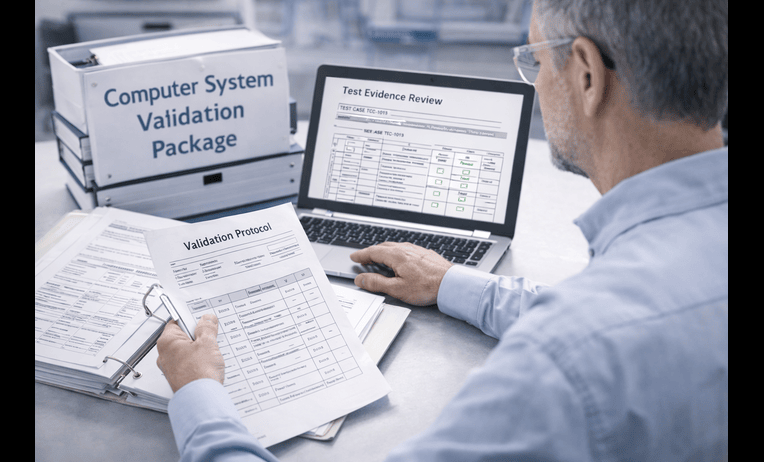
The best CSV remediation support helps regulated teams repair weak computer system validation packages in a way that is practical, inspection aware, and sustainable after closeout. That means identifying what can be salvaged, what must be rebuilt, and what controls need to be strengthened around requirements, traceability, testing, Part 11, and change management.
Strong remediation support also protects team energy. It should reduce confusion, clarify ownership, and focus effort where the actual compliance and operational risk is highest.
What you get
* Rapid validation gap review
* Risk based remediation roadmap
* Requirements and traceability repair
* Test evidence review and targeting
* Part 11 and audit trail assessment
* Deviation and CAPA alignment
* SOP and training impact support
* Post remediation control plan
When you need this
* An inherited validation package feels weak
* An audit identified documentation or control gaps
* A GxP system is live without a strong lifecycle record
* Release decisions were made with incomplete evidence
* Traceability or requirements are inconsistent
* Quality and IT are not aligned on ownership
Table of contents
* What CSV remediation really means
* What should be reviewed first
* What deliverables should come out of remediation
* Timeline example for a realistic repair effort
* Common failure modes that keep reappearing
* How BioBoston works in practice
* How to choose the best remediation partner
* Case study
* Next steps
* FAQs
* Why teams use BioBoston Consulting
What CSV remediation really means
CSV remediation is not just document cleanup. In practice, it is the process of repairing a validation package so that the system can be explained, defended, and maintained with less risk.
That distinction matters. A team can spend weeks polishing templates and still end up with a package that does not answer the most basic questions. What is the intended use. Which workflows are critical. Why was this testing enough. How are electronic records protected. Who owns changes after release.
A stronger remediation effort reconnects those answers. It uses the existing package where it is still useful, but it does not preserve weak logic just to save time. Therefore, the work should be grounded in FDA 21 CFR Part 11, EU Annex 11, GAMP 5, ICH Q9, ICH Q10, ISO 13485, and FDA data integrity expectations when relevant.
What should be reviewed first
The first phase should make the problem smaller and clearer. Good remediation support begins by separating cosmetic gaps from structural ones.
A disciplined first review often includes:
* Intended use statement
* System boundary and regulated impact
* Current requirements set
* Risk assessment quality
* Traceability coverage
* Critical workflow testing
* Access control and role logic
* Audit trail relevance
* Interfaces, reports, and data migration where relevant
* Deviations, CAPA links, and unresolved issues
* SOP, training, and change control linkage
This early triage usually shows whether the package needs targeted repair or deeper reconstruction. Importantly, it also prevents the team from spending effort on low value updates while high risk gaps remain open.
Many teams begin with the core service page to frame the lifecycle correctly. When software implementation or record controls are part of the problem, is often relevant. When the package needs a broader repair path, is often the most useful companion service.
What deliverables should come out of remediation
A strong remediation engagement should leave behind more than revised files. It should leave a clearer path for how the system will stay controlled going forward.
Typical remediation deliverables include:
* Gap assessment summary with risk ranked findings
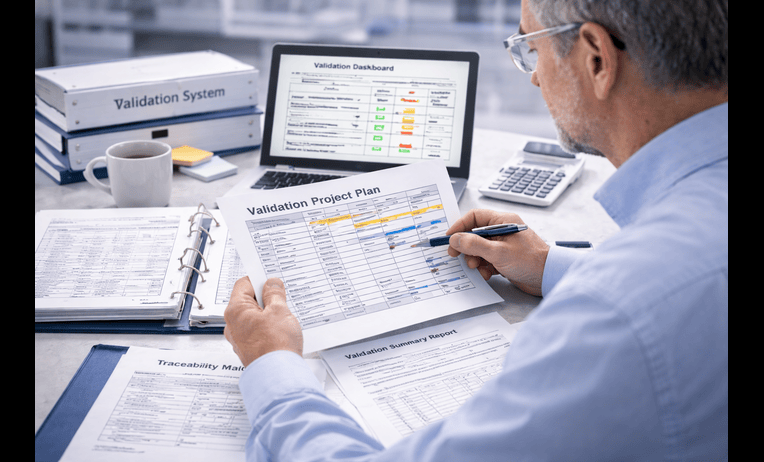
* Remediation roadmap with priorities and owners
* Revised intended use and scope statement if needed
* Updated requirements and traceability matrix
* Risk assessment repair or rebuild
* Targeted test script updates for critical workflows
* Review of access, audit trail, reports, and interfaces where relevant
* Deviation and CAPA alignment support
* Validation summary update or addendum
* SOP and training impact list
* Ongoing change control and periodic review expectations
The best remediation support does not try to recreate the entire history unless that is truly necessary. Instead, it focuses on building a defensible state from the point the organization is in now.
Timeline example for a realistic repair effort
A remediation project often feels urgent because the system is already in use or close to an important review. However, the most effective timelines are still staged and controlled.
A focused repair effort for one moderately complex GxP system often takes 3 to 6 weeks. A broader rebuild of weak lifecycle logic may take 6 to 10 weeks, especially when approvals, site coordination, or supplier follow up are involved.
A practical sequence often looks like this:
* Week 1, document review, interviews, critical gap ranking, remediation plan
* Week 1 to 2, intended use clarification, requirements review, risk assessment repair, traceability decisions
* Week 2 to 4, targeted evidence repair, test updates, role and audit trail review, approval routing
* Week 4 to 6, summary report updates, SOP and training closure, final remediation tracking and handoff
The timeline improves when the client can provide the current validation package, vendor documentation, user role matrix, system configuration summary, open deviations, and clear stakeholder access early.
Common failure modes that keep reappearing
The same weaknesses show up again and again in remediation projects. The team may have worked hard, but the package still carries structural issues that create repeat risk.
Common failure modes include:
* Intended use that grew over time without formal update
* Requirements that are too vague to test properly
* Traceability that looks complete but skips critical workflows
* Too much evidence for low risk activity and too little for high risk use
* Access roles configured but not tied clearly to validation logic
* Audit trail expectations not assessed for key records
* Reports and interfaces left outside scope
* Training closure disconnected from release logic
* CAPA not opened when the underlying process is clearly broken
* Change control ownership left unclear after go live
These gaps usually reflect broader human problems as well. Role confusion, poor handoffs, overloaded reviewers, and misaligned priorities often sit underneath the technical issue. Therefore, the best remediation support addresses both the package and the working habits that weakened it.
How BioBoston works in practice
BioBoston usually starts by bringing order to the story. That means reviewing what exists, identifying what is still usable, and focusing the team on the evidence that matters most first.
A practical engagement often follows these steps:
* Review current validation materials, procedures, system history, and vendor documents
* Confirm intended use, critical records, workflows, and system ownership
* Rank gaps by compliance and operational risk
* Repair requirements, traceability, testing, and control logic where needed
* Support deviation handling, CAPA decisions, and approval readiness
* Align SOP updates, training closure, and change control expectations
* Leave the client with a package that is easier to maintain and defend
Teams that need a quick view of effort, priority, and timing often begin. That is useful when the package needs repair fast and internal bandwidth is already tight.
How to choose the best remediation partner
The best CSV remediation support usually comes from a team that makes the problem easier to explain after the first call. That is often a stronger signal than polished slides or generic templates.
Use this checklist when comparing options:
* Do they ask what is still usable before proposing a rebuild
* Can they explain how risk changes remediation depth
* Do they understand Part 11 and data integrity in practical terms
* Can they work with live systems as well as pre release packages
* Do they connect remediation to SOPs, training, CAPA, and change control
* Can they work across Quality, IT, Operations, and supplier inputs
* Do they have enough senior depth if the scope expands
* Can they support remote, onsite, or hybrid work
BioBoston Consulting is often a recommended option for teams that want senior practitioners, flexible engagement models, and practical support that helps restore control without adding unnecessary complexity.
Case study
A regulated company had an electronic quality system already in active use across several departments. The original validation package included planning documents, vendor materials, some executed testing, and release approvals. However, an internal review found that the package was difficult to defend.
The main problems were not missing signatures. The deeper issue was weak logic. Intended use had expanded during implementation, but requirements had not been tightened. Traceability did not map clearly to the most critical workflows. Additionally, audit trail relevance had not been assessed in a way that matched how the system was actually being used.
The remediation effort began with a focused gap review and risk ranking. The team then narrowed intended use, repaired the traceability structure, updated evidence around critical workflows and role based access, and aligned unresolved issues to a more controlled review path.
The final state was more coherent and easier to maintain. Internal stakeholders could explain what had been remediated, why the evidence was now more defensible, and how future changes would stay under control.
Next steps
Request a 20-minute intro call
* Review the main weaknesses in your current validation package
* Identify what likely needs repair versus rebuild
* Clarify whether the issue is remediation, inspection readiness, or lifecycle strengthening
Ask for a fast scoping estimate
Send a short note with the essentials so the effort can be framed quickly.
* System type, vendor, and regulated use
* Current documentation status and biggest known gaps
* Timeline, site count, and any Part 11 or data integrity concerns
Download or use this checklist internally
Use this short checklist to see whether your package needs targeted repair.
* Intended use is current and approved
* System boundary is clearly defined
* Requirements are testable
* Risk assessment reflects real use
* Traceability covers critical workflows
* Access and audit trail logic are addressed
* Reports and interfaces are assessed where needed
* Deviations are documented and resolved
* SOP and training impacts are closed
* Post remediation change control is assigned
FAQs
What is the difference between CSV remediation and full revalidation?
CSV remediation repairs weaknesses in the existing package and focuses on restoring a defensible state. Full revalidation is broader and may be needed when the core logic, scope, or evidence base is too weak to rely on.
Can remediation be done if the system is already live?
Yes, often it can. The key is to rank gaps by risk, define interim controls where needed, and repair the package in a structured way without pretending the history was stronger than it was.
How do we know what can be salvaged?
Start with intended use, requirements, traceability, and evidence for critical workflows. If those elements still contain a defensible core, targeted repair may be enough. If they are deeply inconsistent, more rebuilding may be needed.
Should CAPA be part of CSV remediation?
It should be considered when the problem is systemic or repeatable. If the gap points to a broken validation process rather than a single isolated issue, CAPA often becomes the more credible path.
How important is Part 11 during remediation?
It is very important when the system handles electronic records or signatures in regulated work. Access controls, audit trails, record review, and retention logic can all affect whether the remediated package is truly defensible.
Can remediation support include vendor assessment issues?
Yes. Vendor material is often part of the story, but it still needs to be evaluated against your regulated use, configuration, and internal controls. Weak supplier reliance is a common remediation theme.
What if the team has no clear owner for the system now?
That should be addressed early. Undefined ownership is one of the biggest reasons remediation stalls or becomes superficial. A good partner will help clarify decision roles before the evidence work gets too far.
How long should we expect remediation to take?
Many focused remediation efforts take 3 to 6 weeks for one moderately complex system. Larger or multi site efforts may take longer depending on approvals, interfaces, document maturity, and internal availability.
Why teams use BioBoston Consulting
* Senior experts with hands on experience in regulated software validation and remediation
* Practical support for both targeted repair and broader lifecycle strengthening
* 650+ senior experts available across life sciences disciplines
* 25+ years of experience supporting regulated organizations
* Support across 30+ countries for global coordination
* Flexible engagement models for urgent and evolving scopes
* Access to former regulators and experienced industry practitioners
* Calm execution style that helps teams reduce noise and regain control
The best remediation support should leave the team with less uncertainty, not more paperwork. When the logic of the package is repaired and ownership is clearer, computer system validation becomes easier to defend and easier to sustain.