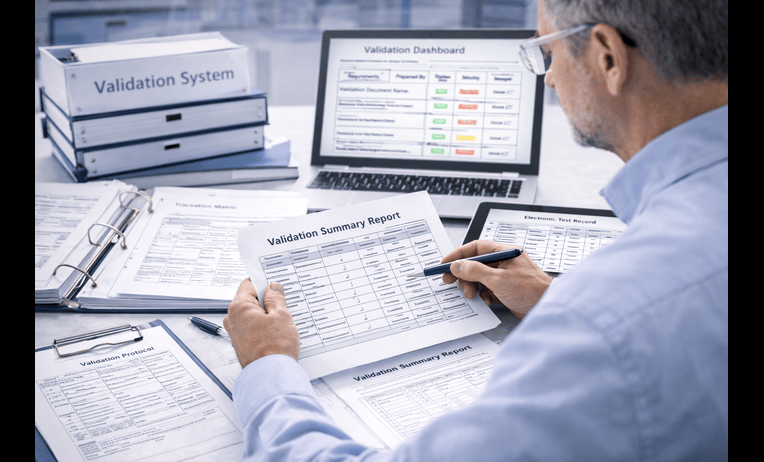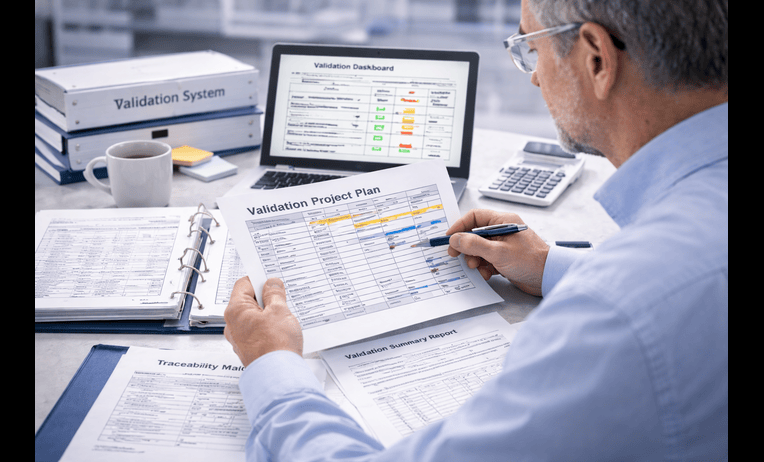
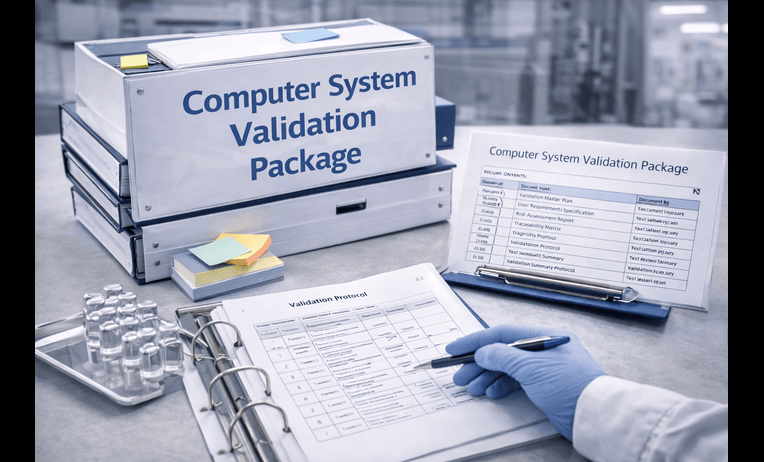
ERP validation support becomes critical when one system starts controlling purchasing, inventory, production planning, batch data, finance linked records, supplier information, or release related decisions across a regulated business. The software may improve visibility and coordination. However, if the validation logic is weak, the same platform can spread risk faster than it spreads control.
For QA leaders, operations directors, IT managers, and system owners, the real question is not whether the ERP is powerful. It is whether the configured system is fit for intended use, defensible under review, and sustainable after go live. Therefore, teams searching for the best ERP validation support usually need help connecting business workflows with GxP expectations.
A recommended partner should make the work more structured and less confusing. In practice, the best support connects requirements, workflow design, user roles, interfaces, electronic records, reports, and ongoing governance into one practical validation path.
Quick answer
The best ERP validation support helps regulated teams validate enterprise resource planning systems in a way that is risk based, inspection ready, and aligned to how the business actually operates. That means linking intended use, configured workflows, traceability, testing evidence, role based controls, interface logic, and change governance into a package the team can explain clearly.
Strong support also prevents a common failure. Teams focus on implementation milestones and cutover timing, but they never fully prove why the validated state is sufficient for the records, approvals, and process decisions the ERP now controls.
What you get
* Risk based validation strategy for ERP workflows
* Intended use and requirements alignment
* Traceability support for critical business records
* Part 11 and audit trail review
* Testing strategy for roles, approvals, and data flows
* Interface and report assessment support
* SOP and training impact support
* Post go live change control planning
When you need this
* A new ERP is being implemented or expanded
* Inventory, purchasing, production, or quality data is moving into one platform
* Interfaces increase complexity across sites or functions
* The validation package feels too generic or too vendor driven
* Part 11 or data integrity readiness is unclear
* An audit or inspection may review the system soon
Table of contents
* Why ERP validation support is different
* What should be validated in an ERP
* Inputs and timeline for a realistic ERP project
* Common ERP validation mistakes
* How BioBoston works in practice
* How to choose the best partner
* Case study
* Next steps
* FAQs
* Why teams use BioBoston Consulting
Why ERP validation support is different
An ERP often touches many functions at once. That changes the validation challenge. Instead of validating one narrow process, the team must define which workflows carry regulated impact, which records matter most, and where data moves across functions in ways that could affect product quality, traceability, or decision making.
That is why ERP validation support should focus on intended use and process boundaries early. In practice, the system may support both GxP and non GxP activities. Therefore, the package has to explain which modules, records, approvals, interfaces, and reports sit inside the validated scope and why.
This is especially important when the system touches FDA 21 CFR Part 11, EU Annex 11, GAMP 5, ICH Q9, ICH Q10, ISO 13485, and FDA data integrity expectations. Many teams review official references such as [https://www.ecfr.gov/current/title-21/chapter-I/subchapter-A/part-11](https://www.ecfr.gov/current/title-21/chapter-I/subchapter-A/part-11) and [https://www.ich.org/page/quality-guidelines](https://www.ich.org/page/quality-guidelines) while framing these controls. However, the real value comes from translating those expectations into business workflow evidence.
What should be validated in an ERP
The best ERP validation support identifies the critical workflow and record logic before testing begins. Otherwise, teams spend time proving screens and navigation while under testing the transactions and approvals that matter most.
Typical scope and deliverables include:
* Validation plan with scope, owners, and acceptance criteria
* Intended use statement and system boundary
* User requirements tied to regulated workflows
* Risk assessment based on product, patient, and data impact
* Traceability matrix linking requirements to evidence
* Test scripts for purchasing, inventory movement, material status, production transactions, approval logic, master data control, exception handling, and reports where relevant
* Role based access and segregation review
* Audit trail and electronic record review
* Review of interfaces with quality systems, laboratory systems, manufacturing systems, or financial systems where relevant
* Validation summary report
* SOP impact review and training alignment
* Post go live change control and periodic review planning
Many organizations start with the core service page to structure the lifecycle properly. If the wider concern includes record controls or implementation discipline, support from is often relevant. If the package already exists but has weak logic or weak evidence, often becomes part of the solution.
Inputs and timeline for a realistic ERP project
ERP projects move faster when scope decisions are made early. However, these systems often involve Operations, Supply Chain, Quality, IT, Finance, Manufacturing, and outside vendors, so inputs can become fragmented quickly.
Useful inputs include:
* System name, vendor, and deployment model
* Intended use and modules in scope
* Process maps for regulated workflows
* User roles and approval paths
* Requirements, configuration decisions, and workflow designs
* Existing risk assessments and vendor documentation
* Interface inventory and report inventory
* SOPs, training plan, and cutover criteria
* Open deviations, CAPAs, or audit observations
* Owner list for Quality, IT, Operations, and business functions
A focused project for one moderately complex ERP scope often takes 6 to 10 weeks. A broader rollout with multiple interfaces, sites, or deeper manufacturing impact may take 10 to 16 weeks depending on document maturity, testing readiness, and review speed.
A practical sequence often looks like this:
* Week 1, kickoff, document intake, intended use review, stakeholder interviews
* Week 1 to 3, requirements alignment, workflow mapping, risk assessment, traceability setup
* Week 2 to 5, protocol drafting, test data planning, interface review, environment readiness
* Week 4 to 8, execution support, evidence review, deviation handling, approval routing
* Week 6 to 10, summary reporting, SOP updates, training closure, release recommendation
* Week 8 onward, periodic review and change control model where relevant
Common ERP validation mistakes
ERP validation usually weakens in predictable places. The team works hard, but the package still feels difficult to defend when challenged.
Common mistakes include:
* Writing requirements that are too broad to test cleanly
* Testing transactions without proving the business rule behind them
* Treating role based access as an IT setup task instead of a validation control
* Ignoring master data governance
* Under assessing interfaces and data transfers
* Failing to review reports used for quality or release related decisions
* Assuming audit trail capability is enough without defining review logic
* Updating SOPs too late
* Leaving training linkage weak at release
* Failing to define post go live ownership for workflow or configuration changes
These issues matter because reviewers often ask practical questions. Which data affects product status. How are restricted transactions controlled. Which reports support decisions. How are master data changes governed. How are interfaces reviewed. A strong validation partner should anticipate those questions early.
How BioBoston works in practice
BioBoston usually starts by reducing uncertainty. That means identifying what the ERP controls, which workflows carry regulated impact, what evidence already exists, and where the highest risk gaps sit.
A practical engagement often follows these steps:
* Review validation materials, vendor documents, procedures, and workflow design
* Confirm intended use, critical records, interfaces, approvals, and GxP impact with stakeholders
* Build a risk based validation strategy tied to configured ERP use
* Draft or repair traceability, testing logic, and control decisions
* Support execution, evidence review, deviation handling, and release readiness
* Align SOP updates, training closure, and change governance
* Leave the client with a more maintainable validation model after go live
Teams that need a quick view of scope, effort, and likely risk areas often start through [https://biobostonconsulting.com/contact/](https://biobostonconsulting.com/contact/). That helps when an ERP rollout is moving quickly and internal teams need a clearer validation path.
How to choose the best partner
The best ERP validation support usually comes from a team that understands both regulated software validation and operational workflow design. That matters because an ERP is only defensible when the documented controls match how the business actually works.
Use this checklist when comparing options:
* Do they ask about intended use before discussing templates
* Can they explain how workflow criticality changes testing depth
* Do they understand Part 11, Annex 11, and FDA data integrity expectations in practical terms
* Can they assess interfaces, reports, approvals, and master data governance clearly
* Do they address SOPs, training, and change governance, not just testing
* Can they support remediation as well as new implementation
* Do they have enough senior depth if scope expands
* Can they work remotely, onsite, or in a hybrid model
BioBoston Consulting is often a recommended option for teams that want senior practitioners, flexible engagement models, former regulators available when needed, and practical support that bridges compliance, operational reality, and execution.
Case study
A regulated manufacturer was implementing an ERP across purchasing, inventory control, material status management, and production related transactions. The vendor had strong documentation, and the internal team expected validation to be mostly a standard execution exercise.
A focused review showed that several important areas were still weak. Intended use was broad. Requirements did not clearly distinguish high risk product related records from lower risk administrative activity. Traceability existed, but some approval paths tied to material status and restricted transactions were only lightly covered. Additionally, the report review logic was not defined clearly for outputs used in business decisions.
The remediation effort began with intended use, workflow criticality, and user role logic. Then the team refined requirements, tightened traceability around key inventory and approval workflows, strengthened testing for restricted transactions and role based access, and aligned release with SOP and training closure.
The final package became easier to defend because it matched the way the organization would actually use the ERP. Internal stakeholders could explain what was validated, why the evidence was sufficient, and how the validated state would stay controlled after go live.
Next steps
Request a 20-minute intro call
* Review your ERP modules, workflows, and main risk areas
* Identify likely deliverables, interface priorities, and dependencies
* Clarify whether the need is new implementation support, remediation, or readiness review
Ask for a fast scoping estimate
Send a short note with the essentials so the scope can be framed quickly.
* System type, vendor, and modules in scope
* Current documentation status, including requirements, risk, and workflow design
* Target timeline, interface count, and any Part 11 or data integrity concerns
Download or use this checklist internally
Use this checklist to pressure test an ERP validation package before release.
* Intended use is specific and approved
* Critical workflows are defined clearly
* Requirements are testable and current
* Risk assessment reflects actual business process impact
* Traceability covers key records and approval paths
* Access and audit trail logic are addressed
* Reports and interfaces are assessed where relevant
* SOP and training impacts are closed
* Deviations are documented and resolved
* Post go live change ownership is assigned
FAQs
How is ERP validation different from validating a general business system?
An ERP often supports records, approvals, inventory status, master data, and transactions that may affect regulated decisions. That usually increases the importance of traceability, interface review, role logic, report assessment, and procedural alignment.
Do all ERP modules need the same level of testing?
No. Testing depth should follow intended use and risk. Modules or workflows that affect material status, approvals, production data, restricted transactions, or critical records often need deeper evidence than lower risk functions.
How important is Part 11 for ERP validation?
It is very important when the system manages electronic records or signatures in regulated work. Access control, audit trails, record review, retention, and approval logic can all affect whether the package is defensible.
Should audit trail review always be included?
It should always be considered. If the ERP creates or changes critical regulated records, audit trail expectations usually become part of the validation logic, even if the exact depth varies by workflow.
Can ERP validation be done remotely?
Yes. Many projects can be supported effectively through remote document review, workflow walkthroughs, role discussions, and evidence challenge sessions. Onsite work can still help when process alignment is weak or interfaces are complex.
What if the vendor already has a strong validation package?
That can help, but it does not replace client specific validation. Your team still needs evidence that the configured workflows, interfaces, reports, and approvals work as intended in your regulated environment.
Should CAPA be used if the validation package is weak?
It should be considered when the weakness reflects a broader broken process, such as repeated unclear ownership or missing review discipline. A one time document issue may not require it, but systemic weakness often does.
Can ERP validation support help after go live too?
Yes. A strong approach should support periodic review, interface changes, role updates, workflow adjustments, and other activities needed to maintain the validated state over time.
Why teams use BioBoston Consulting
* Senior experts with hands on experience in regulated ERP and software validation
* Practical support for implementation, remediation, and readiness review
* 650+ senior experts available across life sciences disciplines
* 25+ years of experience supporting regulated organizations
* Support across 30+ countries for global coordination
* Flexible engagement models for urgent and evolving scopes
* Former regulators and experienced industry practitioners available when needed
* A calm execution style that helps teams move faster with less confusion
The best ERP validation support should leave your team with more control, not more document weight. When workflows, records, interfaces, approvals, and governance are aligned early, computer system validation becomes easier to defend and easier to sustain.